Your whole school,
on one screen
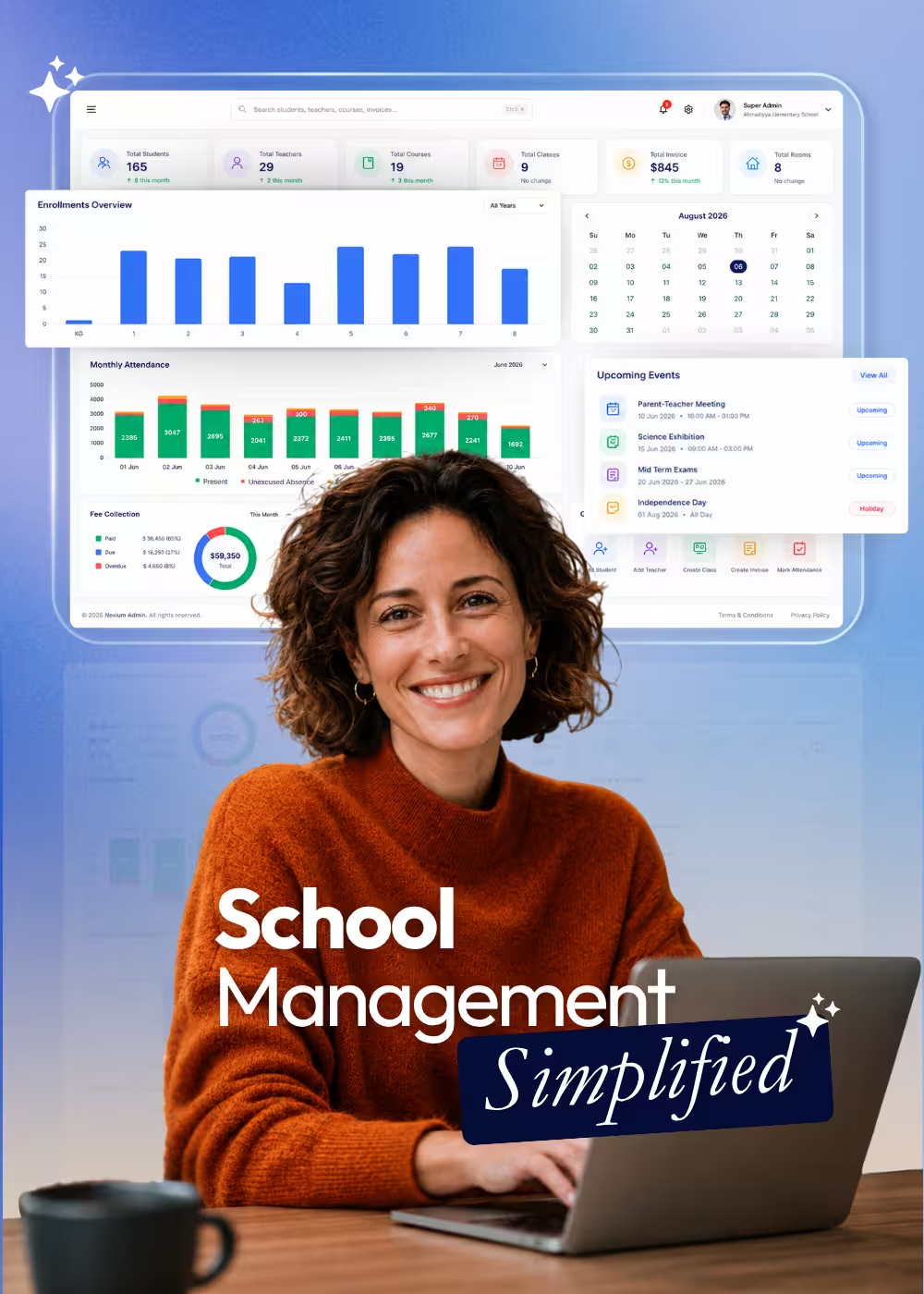
The Nexium dashboard brings enrollments, monthly attendance, calendar events, and key school stats into a single real-time view — the first thing you see when you sign in.
Trusted by schools across Canada
Your morning briefing,
without asking anyone
Every number an administrator checks daily, pulled live from the modules where the work actually happens.
Stats at a Glance
Headline numbers for students, staff, and enrollments — refreshed in real time, no report-building required.
Enrollment Tracking
Watch enrollments move through each status so front-office follow-ups never slip through the cracks.
Monthly Attendance
A month-at-a-glance attendance picture across grades and classes, with dips visible before they become patterns.
Calendar & Events
Upcoming events, terms, and holidays from the school calendar, shown right where staff start their day.
Financial Snapshot
Receivables and payment activity surfaced from the financial dashboard for a quick pulse on collections.
Role-Based Views
What each user sees is scoped by their role and permissions — teachers, admins, and finance staff each get a relevant view.
Why It Matters
Built to answer
the morning questions
The dashboard exists so the day’s first questions don’t require opening five modules or asking three people.
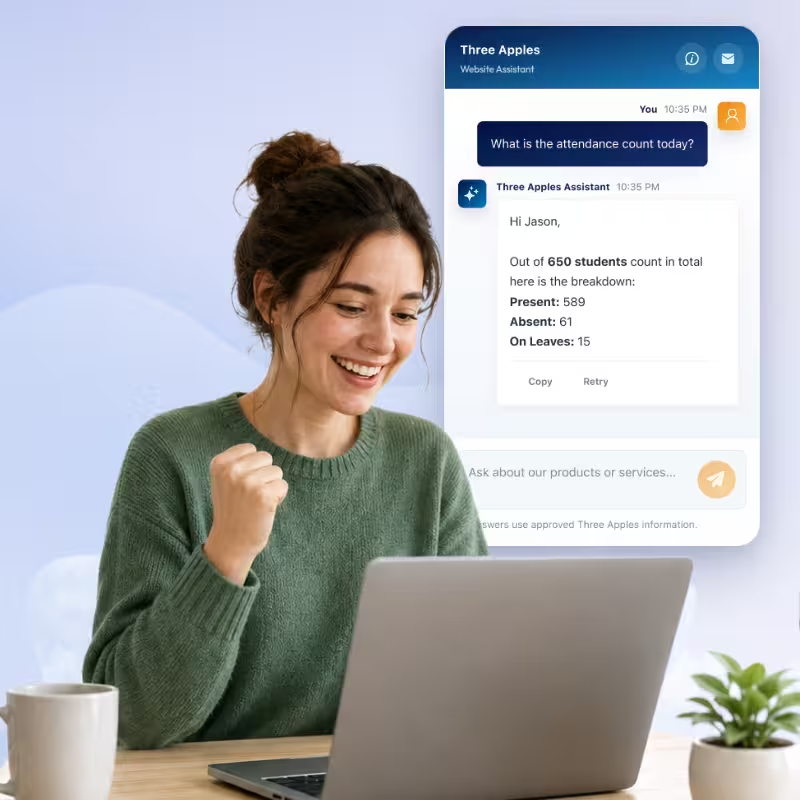
Who’s absent today
Absences and the classes they affect, visible first thing in the morning.
Where enrollments stand
Live enrollment counts by status, without building a report.
What’s coming up
This week’s events, term dates, and holidays from the school calendar.
What’s outstanding
Receivables and payment activity without opening the finance module.
What changed since yesterday
Stats refresh in real time, so the picture is never stale.
How It Flows
From sign-in to decisions
No setup required — the dashboard reads live data from the modules your team already uses.
Sign In
Your role-scoped dashboard loads with live data — no configuration needed.
Scan the Stats
Enrollments, attendance, events, and financials in one pass.
Drill Down
Click through any stat to the module and record behind it.
Act Early
Catch attendance dips and overdue balances before they become problems.
Keep Exploring
More of Nexium
Every module runs on the same platform, the same student records, and the same login.
Nexium Overview
The complete K-12 platform, at a glance.
Academic Management
Years, terms, courses, grade books, and report cards.
Attendance Tracking
Daily attendance, leave requests, and transparent reports.
Invoices & Payments
Charges, invoice batches, payments, and receivables.
Smart Notifications
Multi-channel messages with traceable history.
Transportation
Routes, buses, student assignments, and alerts.
Parent Mobile App
The same live data, in a parent’s pocket
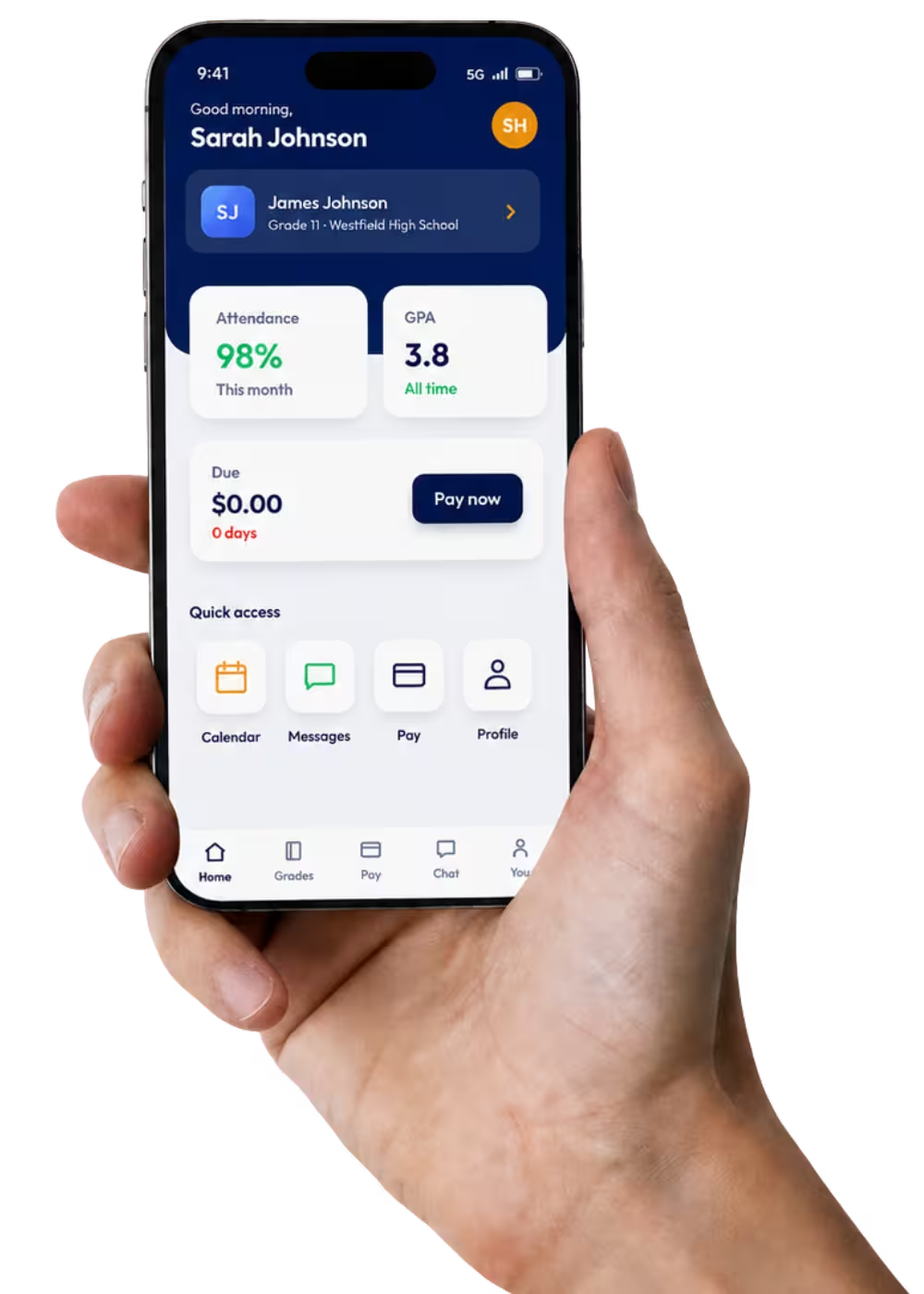
Attendance, grades, fees, and messages — parents check it themselves instead of calling the front office. It reads the same records your staff sees, so there is no second portal to keep in sync.
- Attendance and grades at a glance
- Outstanding fees, paid in the app
- School calendar and events
- Direct messages with the school
No commitment required.