The academic year, run without
spreadsheets
School years, terms, grades, courses, classes, grade books, and report cards — configured once and managed in one place for the entire year.
Trusted by schools across Canada

The whole academic year,
one system
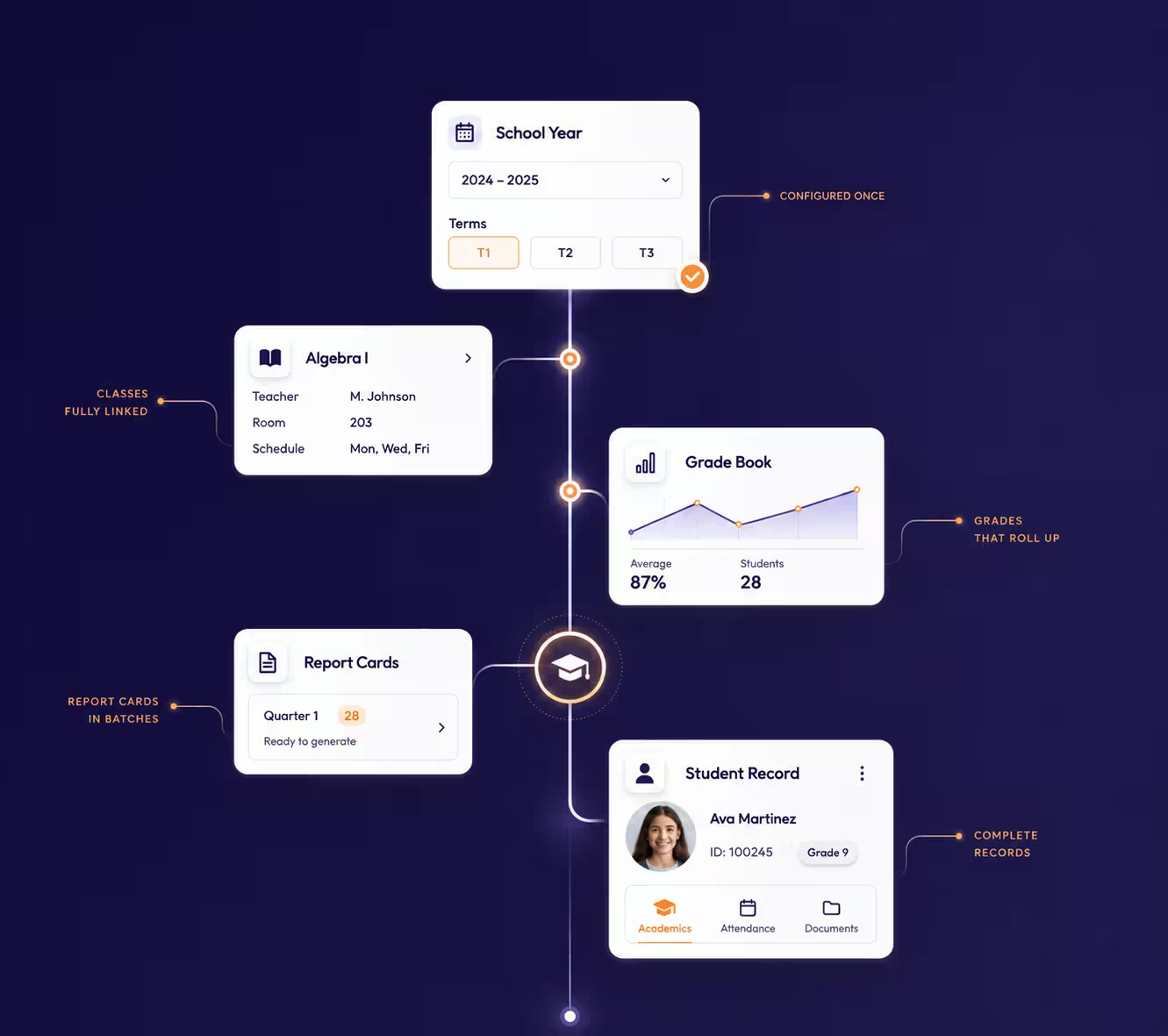
Every academic structure in Nexium connects to the next — terms feed classes, classes feed grade books, grade books feed report cards.
School Years & Terms
Define school years and terms once; every class, grade book, and report card stays aligned with the correct period.
Grades & Grade Levels
Set up grade levels that mirror your school's structure, and roll students forward with new year settings.
Courses & Classes
Build courses by category and strand, then schedule classes with assigned teachers and school rooms.
Grade Book
Record assessments by grade book category and assessment level; grades roll up automatically toward report cards.
Report Card Batches
Generate report cards for an entire grade or class as a single batch, using your school's report card types.
Documents & Comments
Attach student documents and categorized comments so the academic record stays complete in one place.
Why It Matters
One academic spine,
start to finish
Because everything shares the same structure, nothing has to be re-entered — and nothing falls out of sync mid-year.
Configured once
The school year and terms are set up once and reused everywhere.
Classes fully linked
Every class carries its course, teacher, room, and schedule.
Grades that roll up
Grade book entries map to your assessment levels automatically.
Report cards in batches
Generate an entire grade’s report cards as a single batch.
Complete records
Student documents and comments stay on the academic record.
How It Flows
From setup to report cards
The academic module follows the school year’s own rhythm — set up once, then teach, grade, and publish.
Set Up the Year
Create the school year, terms, and grade levels for your structure.
Build Courses & Classes
Assign teachers, rooms, and schedules to every class.
Record Grades
Teachers mark grade books by category throughout the term.
Publish Report Cards
Run report card batches by grade or class at term end.
Keep Exploring
More of Nexium
Every module runs on the same platform, the same student records, and the same login.
Nexium Overview
The complete K-12 platform, at a glance.
Live Dashboard
Real-time stats, enrollments, attendance, and events.
Attendance Tracking
Daily attendance, leave requests, and transparent reports.
Invoices & Payments
Charges, invoice batches, payments, and receivables.
Smart Notifications
Multi-channel messages with traceable history.
Transportation
Routes, buses, student assignments, and alerts.
Ready to modernize?
See Nexium running in your school’s data
Book a 30-minute live demo. We’ll walk you through a configured instance — no generic slides, no sales theatre.